
|
|||||||

|
|||||||
|
|||||||

|
|||||||
SmarterMail Manual
|
In all examples please replace example.com with your domain name. The email address youremail@example.com should be replaced by your email address. Do not include the www. in front of your domain unless the instructions specifically say to do so.
Use your browser such as Internet Explorer, Firefox, Safari, etc to navigate to http://mail.example.com/ to bring up the Login Screen as shown below. Enter your full email address ( youremail@example.com ) in the top box and your password in the bottom box and click Login. Note: If you are at a computer that only you have access to you may choose to the Remember Me option to bypass the Login Screen each time you use the webmail. You would not want to check this option on a shared or public access computer. 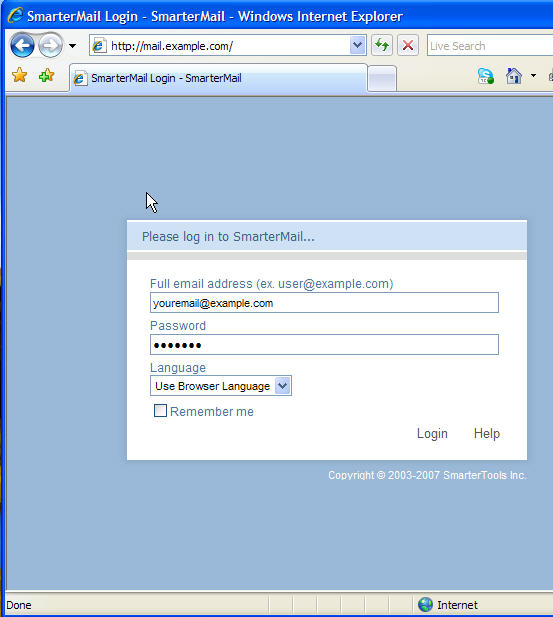
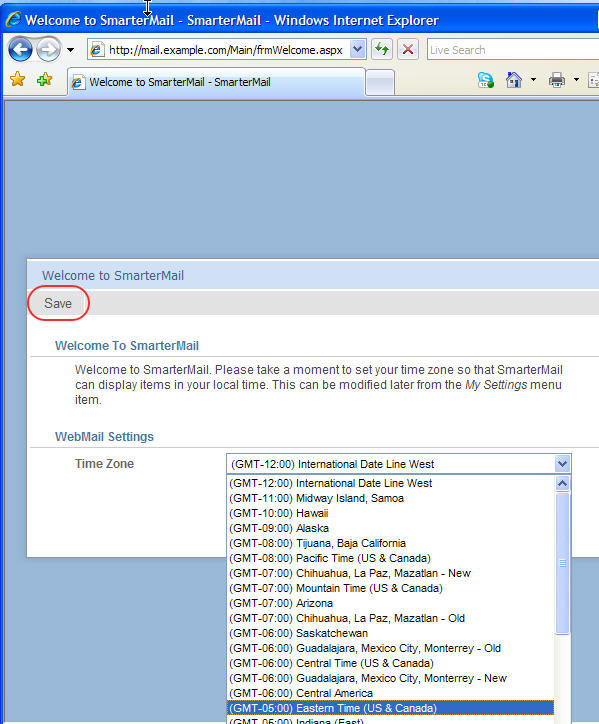
Once you are logged in the best resource form SmarterMail Help is the built in Help file under the HELP menu on the SmarterMail Menu. Choose Help For This Page for specific instructions on how to navigate any SmarterMail screen. 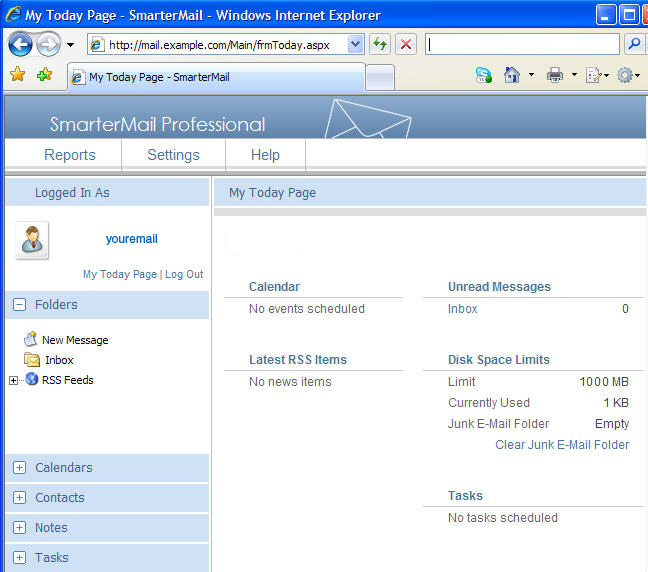
|
Copyright © 1995- Sidetrips™ Internet Services, Inc. All rights reserved.
Reproduction in whole or in part in any form or medium without express
written permission of Sidetrips Internet Services, Inc. is prohibited.
sidetrips.com™, hostserver.com™, registera.com™, htmlshop.com™,
and associated domains are trademarks of Sidetrips™ Internet Service, Inc.
Privacy Policy | Acceptable Use Policy | Terms of Service
